
Where Sound Becomes Music
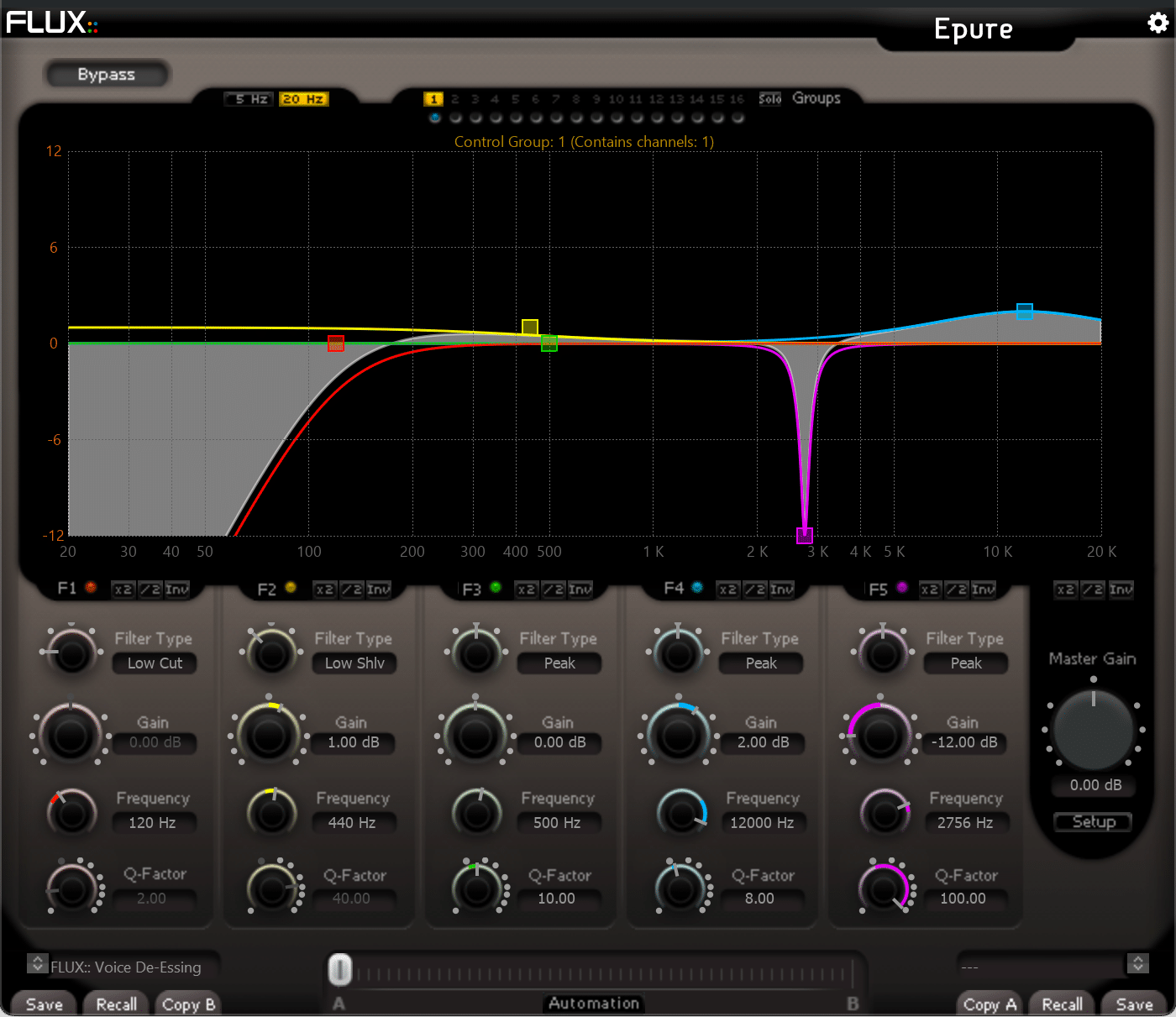
Epure is a state-of-the-art five-band equalizer designed to provide the absolute finest audio quality within the domain of digital audio processing, carefully tuned to preserve the optimal signal to noise ratio independent of the parameter settings. A sharp-edged surgical precision tool created to meet the demands of the professional audio industry.
Epure
State-of-the-art five-band equalizer with the absolute finest audio quality, sharp-edged precision tool created to meet the demands of the professional audio industry.
* We offer a 50% academic discount, based on the full MSRP, for students, teachers and schools on all our products. Click here to apply.
All Features
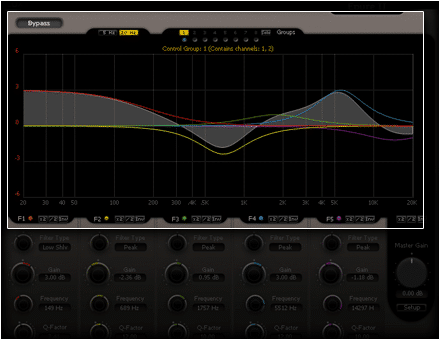
- Five EQ bands with hands on editing of the band curves on the display
- Filter types, on each band; low cut, low shelving, peak, hi shelving, hi cut
- Frequency range covering the whole bandwidth
- Q factor adjustable (from 1.00 to 100.00)
- Gain control (ranged -24 dB to +24 dB)
Read more ...
- True Bypass routing the incoming signal direct to the output
- Multiply gain (x2) affecting the gain value of the band-section
- Divide gain (/2) affecting the gain value of the band-section.
- Invert, converting the band-section positive values to negative and vice versa.
- Master gain control
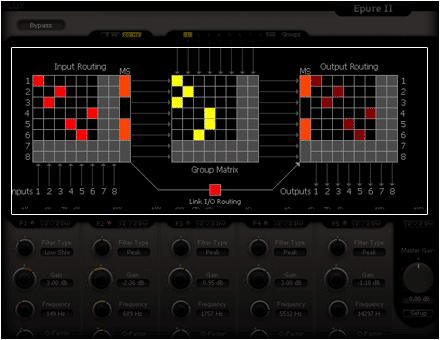
- Audio I/O routing matrix
- Up to 8 MS encoders / decoders
- Up to 16 band groups
Preset and Parameter Handling
- Preset/Parameter slots
- To enhance the workflow the two Preset/Parameter slots, A and B, can be loaded with two full set of parameters at the same time. Apart from saving each preset, a “Global Preset” containing both the A and B settings, and the position of the “Morphing Slider”, can be saved.
Read more ...
- Parameter Morphing Slider with Automation
- The Morphing Slider provides morphing between the parameter settings of slot A/B allowing for really creative and useful real-time tweaking. Enabling the Automation control button exposes the Morphing Slider to the host automation.
- Open Sound Control Support



Instant and precise operation
The logical and comprehensive user interface contains instant shortcut functions to enhance and simplify the user workflow.
Each of the five color coded band sections is covering the complete frequency range and offers -/+ 24 dB gain with dynamic instant gain controls allowing you to:
– Multiply the gain by 2 (x2) affecting the gain value of the band-section.
– Divide the gain by 2 (/2) affecting the gain value of the band-section.
– Invert the gain with just the flip of a switch, converting the band-section positive values to negative and vice versa.
Multichannel, M/S and routable processing groups
Eight channels of simultaneous processing for L-R, M-S or surround operations with 8 MS decoders/encoders and up to 16 internally routable processing groups to process multiple explicit tiers from within one single plug-in instance.
Using the internal processing groups and the MS option in a multichannel setup, you could have one set of controls grouped together for the front channels, with a different group controlling the rear channels, configuring an MS EQ on the front channels and simultaneously another MS EQ on the rear channels as well, using one single instance of Epure only.
Multichannel, M/S and routable processing groups
Eight channels of simultaneous processing for L-R, M-S or surround operations with 8 MS decoders/encoders and up to 16 internally routable processing groups to process multiple explicit tiers from within one single plug-in instance.
Using the internal processing groups and the MS option in a multichannel setup, you could have one set of controls grouped together for the front channels, with a different group controlling the rear channels, configuring an MS EQ on the front channels and simultaneously another MS EQ on the rear channels as well, using one single instance of Epure only.
Dual Preset Slots and Parameter Morphing
The built in preset manager and the preset morphing slider, provides instant and intuitive control of all parameters and controls. In a second, with a simple one-click operation, everything is copied from one of the two preset slots to the other, even during playback.
The two Preset/Parameter slots, A and B, can be loaded with two full set of parameters at the same time, and except for only A/B comparing two sets of parameters, the morphing slider will allow to mix them, and to record the morph with the host automation